They said they'd leave a review and didn't: what to text, and when to stop
Send one reminder about three days after the first review text, short and friendly, with the link again. If they don't leave one after that, let it go. One reminder catches the people who meant to and forgot. A second one starts to feel like pressure.
Below are reminder texts you can copy, how to time them, what to do when the link didn't work, and why everyone gets the same reminder.
Why customers say yes and then don't
Most of the time they meant it. Your text came in while they were making dinner, then 30 more texts buried it. Some opened the link on a laptop where they weren't signed in to Google. Some didn't have a Google account and didn't want to make one. Very few of them decided not to.
That's why a reminder works without being pushy. You're not asking twice for a favor. You're putting the link back on top of the pile.
It's worth the one extra text. People choosing a contractor look at recent reviews: in BrightLocal's 2026 survey, 74% said they only pay attention to reviews from the last three months.
When to send the reminder
About three days after the first text. That's long enough that they've had a chance, and short enough that they still remember the job.
A few timing habits help:
- Send it in the early evening on a weekday, the same kind of window as the first text, when people are more likely to be home.
- Skip late nights and Sunday mornings. A text at 10 PM reads like a bill or an emergency.
- One reminder, not a sequence. Two texts total for the review is plenty for a job you did once.
What goes into a good reminder?
| Part | Example | Why |
|---|---|---|
| No guilt | "no rush on this" | They don't owe you a review |
| The link again | at the end | The old one is buried |
| One short line | under 160 characters with the link | Lands as one text |
| An easy out | "no worries if you're busy" | Keeps it friendly either way |
Reminder texts you can copy
Each one fits in a single text with a typical review link on the end. Swap in the customer's name and one detail from your job.
The standard reminder
Hi Dana, bumping this in case it got buried. No worries if you're busy: your Google review link
When they said yes at the door
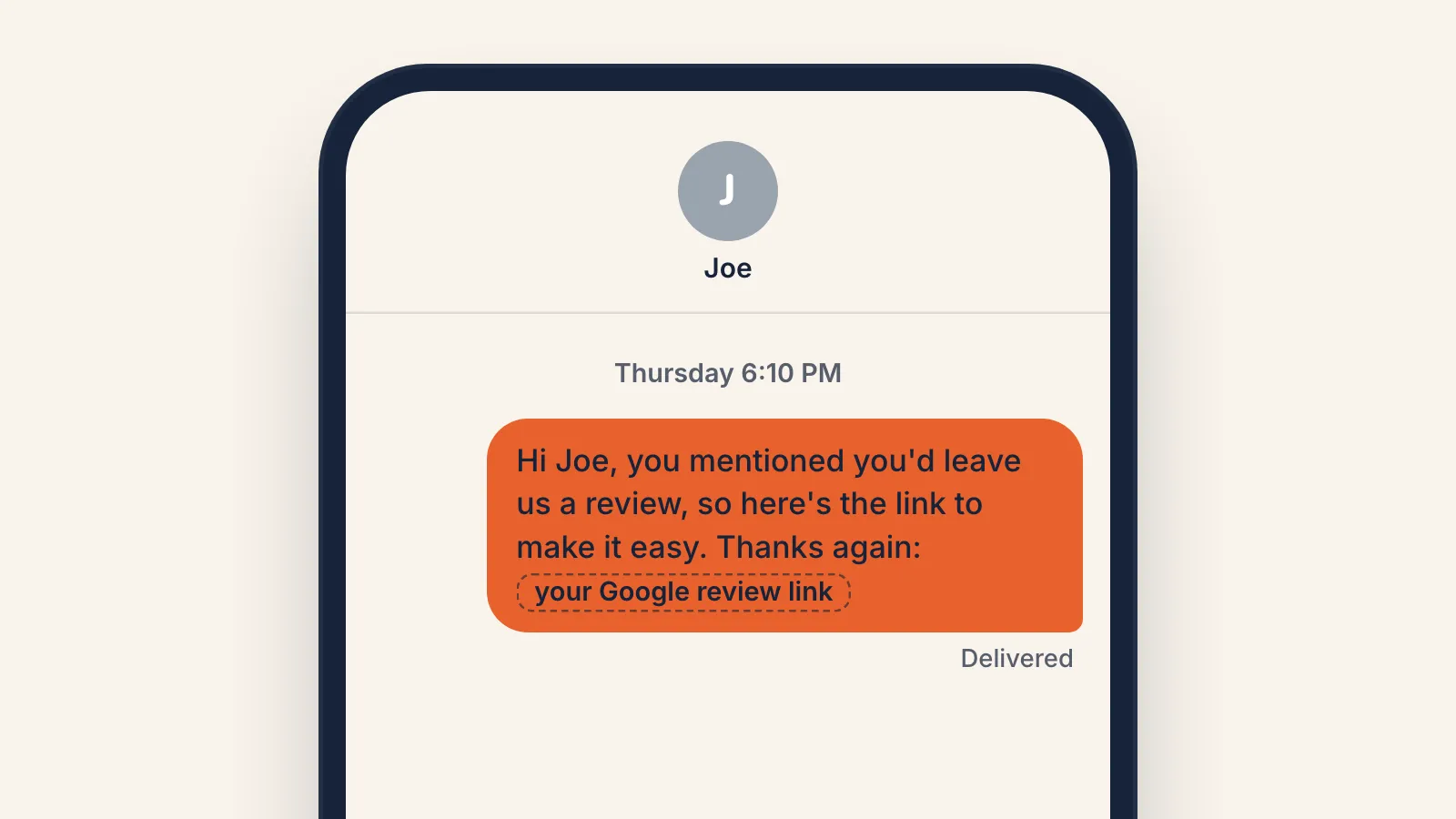
Hi Joe, you mentioned you'd leave us a review, so here's the link to make it easy. Thanks again: your Google review link
When the first text went out late
Hi Mark, no rush on this. Here's the review link again in case the first one got lost: your Google review link
Over a weekend, after an outdoor job
Hi Laura, hope you're enjoying the new fence this weekend. If you get a minute, here's the review link again: your Google review link
When they told you the link didn't work
Sorry about that, Ken. Try this one, it opens the review box on our Google profile: your Google review link
When they say they already left it
Thanks so much, Rosa. I really appreciate you taking the time.
When should you stop?
Stop after the one reminder. Also stop right away when:
- They tell you they'd rather not. Thank them and drop it.
- They ask you to stop texting. Don't text them about reviews again, and don't add them to any list. Honor it the same day.
- The job had a dispute that isn't settled. Fix the job first. Once it's fixed, they get the same ask as everyone else.
What if they say the link didn't work?
Usually it's one of three things, and you can fix each from your phone:
- They weren't signed in to Google. A Google review needs a Google account. Tell them the link will ask them to sign in first.
- The link opened in an app that hid the review box. Ask them to open it in Safari or Chrome.
- You sent an old or broken link. Get a fresh one from your Business Profile under "Get more reviews" (Google's steps) and send that.
If they're at a computer, a QR code on your invoice or estimate works too. Google only makes the QR code version from a computer browser.
What if they say they left one and you can't see it?
Believe them, thank them, and don't ask again. Google checks reviews against its content policies and removes ones its systems flag (Google's review policy), and some never show up publicly. You can't fix that by asking the customer to post it a second time, and asking can look like you're pushing for a specific review.
Remind everyone the same way
The reminder follows the same rule as the first ask. Google doesn't allow businesses to selectively solicit positive reviews (Google's review policy). If you only remind the customers who seemed thrilled, you're doing exactly that.
The simple version: every customer gets the first text, every customer who hasn't left one gets one reminder, and nobody gets anything extra for leaving one.
Keep track without a CRM
You don't need software to know who got a reminder. A few ways owners keep it simple:
- Pin the text thread for any customer who still needs a reminder, and unpin it once it's sent.
- A note on your phone with the customer's first name and the date you sent the first text.
- A column on your job sheet or invoice log marked "review asked" and "reminded."
Check it once a week, send any reminders that are due, and clear the list.
How Compa fits
Here's a sample from the site: an owner asks for a review request after a roof job in Babylon, and Compa sends back the text to forward.
Every customer gets asked the same way. Compa writes the ask, never the review.
Compa writes the first review text for each job, so the ask goes out the same day. It doesn't send reminders or track who has left a review. That part stays with you, and the texts above cover it. For the first text and what goes in it, see how to ask a customer for a Google review by text.
Common questions
Is it pushy to send a review reminder?
Not if it's one short text with an easy out. Most people who forget are glad to get the link again.
How many reminders should I send?
One. Two texts total for one job is the limit before it starts to feel like pressure.
Should I call instead of texting a reminder?
For a review, no. A call about a review puts people on the spot. Save calls for estimates and problems.
Can I offer something to customers who leave a review?
No. Google doesn't allow any reward for a review, good or bad.
What if the reminder gets me a bad review?
Reply to it the same way you'd reply to any bad review: calmly, briefly and offline where you can. Asking everyone the same way means some reviews will be mixed, and that's part of what makes the good ones believable. Here's how to reply to a bad Google review.
Does Google penalize businesses for reminding customers?
Google's rules are about who you ask and what you offer, not about one friendly reminder. Ask everyone, offer nothing for it, and you're inside them.
Get the review text written after every job
Compa's beta is open to Long Island owners first. Text a photo after the job and Compa sends back your post captions, then the review text to forward from your phone.
Text COMPA to (516) 452-8282 to get started. By texting COMPA, you agree to receive automated text messages from Famedia LLC, the company behind Compa, including replies about the photos, reviews and questions you send and, only if you reply YES, check-ins and a Monday recap. Your consent is for Famedia LLC only and is never shared with other companies. Message frequency varies. Message and data rates may apply. Reply HELP for help or STOP to cancel. Privacy Policy | Terms of Service
Sources
Compa is built by Michael Famiglietti, who spent two years as the in-house marketing department for a home service company on Long Island.
Why Michael built Compa